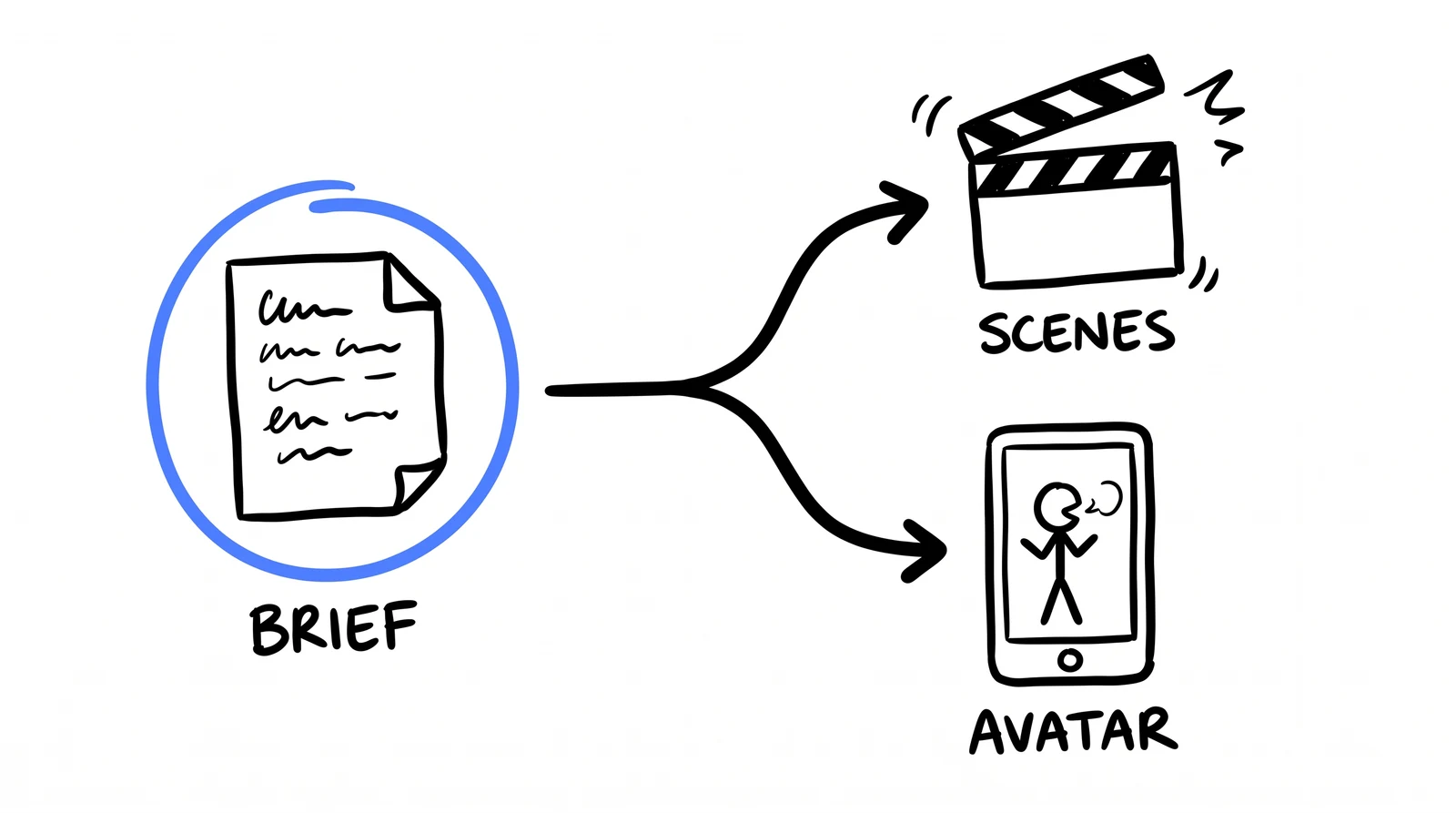
Connect HeyGen to Claude Code, build the brand files once, then every ad is one prompt in the client’s colours, using only numbers they stand behind. Two paths: with your avatar, or without. No editor, no shoot.
~$0.66 per ad2 paths1 prompt each
01 · CONNECT HEYGEN
Two minutes, one command
HeyGen ships an official MCP server, so Claude Code can drive it directly. OAuth, no API key to paste or rotate.
Add the server
Run this in your terminal, from anywhere.
terminal
claude mcp add --transport http heygen https://mcp.heygen.com/mcp/v1/
Authenticate
Open Claude Code, run /mcp, pick heygen, choose Authenticate. Your browser opens, you sign in to HeyGen, done. One time only.
Check it
claude mcp list should show heygen connected. Now Claude can list your avatars and voices, generate videos, and poll their status without you leaving the terminal.
Know which wallet you are spending. Through the MCP connector, videos draw on the credits in your existing HeyGen plan. The REST API is a separate prepaid dollar balance, which is where our $0.66 a video came from. Same engine, different meter. Check your balance before a batch, not after it fails.
02 · BRAND FIRST
Do this once, or every ad comes out in our colours
The step people skip, and the one that decides whether the ad looks like the client's. Two files, built once. This is the exact setup we run.
design-theme.json — the colours and fonts, machine-readable. This is what the render actually reads.
brand-dna.md — the voice, the audience, and the numbers they are allowed to claim.
claude — build the brand files
Read <client-website-url>: homepage, about, services/pricing. Read what is
actually there, not what you assume. Then write two files.

design-theme.json — pull the REAL hex + fonts off the site, never eyeball them:
{
  "brand":  "#0B0C10",   // dark background + caption-box colour
  "accent": "#4D7CFF",   // the ONE hot colour that does all the pointing
  "fonts":  { "display": "Clash Display", "body": "General Sans" }
}

brand-dna.md — under two pages:
## Verified proof
Every claim you can quote from the site, with its source page: years in business,
client counts, results, guarantees, founder names. RULE: only these numbers may
appear in an ad. Not in this table = does not exist.
## Voice
5 rules with examples, a banned-words list, one sentence this brand would never say.
## Audience
The exact person in one sentence, plus their country and language.
Now every ad starts by reading those two files. Colours stop being a guess, voice stops drifting, and the voiceover can only use numbers the client stands behind. That last rule is the same defence as the caption rule below: one stops the copy inventing a number, the other stops the renderer changing it.
03 · PICK THE ROUTE
Avatar-less by default. A presenter only for credibility.
Route
Use it when
Watch out for
scenes avatar-less
The proof is the message: numbers, before and after, a pain you can shoot as b-roll. Your default for ~8 of 10 ads.
It shortens hard. Ask 20s, often get 14s. Treat duration as a ceiling.
avatar presenter
The argument needs a human to own it: founder pitch, "most people selling this have never done it".
Text and faces fight. Without the safe-area rule it prints your CTA across the presenter's mouth.
You do not get to art-direct the b-roll. You describe, it decides. One of our four came back with a crypto trading chart for a scene about verification. That is the tax for $0.66 a video, and why a human watches every one before it ships.
04 · TWO PROMPTS
One without your face. One with it.
Both open by reading the two brand files, so colours, voice and the allowed numbers are never retyped. Everything from TEXT TREATMENT down is load-bearing, leave it. Change only the voiceover and the scenes.
A · No avatar (your default)
A b-roll and kinetic-text montage. Reach for this ~8 times out of 10.
claude — scenes prompt (no avatar)
Read design-theme.json and brand-dna.md first. Use design-theme brand as the caption-box
colour and accent as the highlight. Match the Voice rules. Use ONLY numbers from the
Verified proof table.

Use the HeyGen MCP to generate a 20 second vertical video ad, 1080x1920, portrait.

MODE: avatar-less b-roll montage. No presenter, nobody speaks to camera, no lip sync.
People may appear in scenes but never talk to camera.

VOICEOVER (speak exactly, word for word):
"Monthly reporting takes your team four hours a client. Ours takes fifteen minutes.
Campaign builds, days to hours. Forty ads from one brief. AI deletes the boring seventy
percent. Your people keep the judgment. Find your constraint."

SCENES:
[0-2s] HOOK: a marketer alone at night surrounded by spreadsheet tabs, face lit by the
  screen, clock reading late. Boxed overlay (top): "4 hours per report."
[2-6s] the same report assembling itself, charts snapping into a branded PDF, clock
  hands spinning backwards. Boxed overlay: "15 minutes."
[6-11s] a grid of finished ad creatives filling a screen from one short typed brief.
  Boxed overlay: "40 ads. 1 brief."
[11-16s] a strategist at a whiteboard with a client, thinking and talking, not typing.
  Boxed overlay: "Your team keeps the judgment."
[16-20s] solid --brand end card. Centered boxed overlay: "Find your constraint"

TEXT TREATMENT (every overlay): render each line INSIDE a solid --brand rounded caption
box with padding and a small --accent underline. Key word --accent, the rest white.

TEXT SAFE AREA: every box sits fully inside the central 80% of frame, 10% margin from
every edge. Never cropped, never touching an edge, never across a face or mouth.

CTA CARD: final scene is a solid --brand end card, CTA centered, max 70% of frame width.
No bright background, no clipart, no cartoon props, no 3D icons.

NUMBERS: never render a figure, counter, chart or percentage as a generated graphic.
Every number appears ONLY inside a boxed overlay, exactly as written above.

CASTING: take the Audience line from brand-dna.md. State ethnicity, age and setting
explicitly. Never inherit a local-market default for an English or global ad.

PACING: cut every 1.5-2.5s. Pattern interrupt in the first second.
MUSIC: energetic but professional, -20dB.
B · With your avatar
Your cloned avatar delivers the hook and the CTA, with b-roll in between so it never feels like a webcam monologue. Use it when the message is credibility. Pin your own avatar id where marked.
claude — avatar prompt
Read design-theme.json and brand-dna.md first. Use design-theme brand as the caption-box
colour and accent as the highlight. Match the Voice rules. Use ONLY numbers from the
Verified proof table.

Use the HeyGen MCP to generate a 25 second vertical video ad, 1080x1920, portrait.

AVATAR: use avatar_id <your-avatar-id>. This exact avatar speaks the hook and the
CTA to camera. Do NOT substitute a stock presenter.

STRUCTURE (avatar bookends, b-roll core):
[0-6s]   avatar to camera: the hook line.
[6-19s]  b-roll cutaways only, no avatar, voiceover continues over the scenes.
[19-25s] back to the avatar to camera: the CTA line.
Cut away from the avatar every 3-4s. Avatar is on screen under 50% of the total.

VOICEOVER (avatar + VO speak this exactly, word for word):
"Most people selling you AI for your agency have never run one. We do.
<one line of proof from the Verified proof table>. Not a course, not a chatbot,
an operating system we install in thirty days. You own it. Book the constraint call."

B-ROLL SCENES (the 6-19s core):
[6-11s]  a clean terminal on a large monitor, agent logs streaming, a file tree filling
  in. Boxed overlay: "Not a course. An install."
[11-15s] a small calm team shipping finished reports and creatives. Boxed overlay:
  "<proof line, e.g. team of 5, 30 clients>."
[15-19s] one short brief typed, finished deliverables fanning out. Boxed overlay:
  "One brief in. Work out."

TEXT TREATMENT (every overlay): render each line INSIDE a solid --brand rounded caption
box with padding and a small --accent underline. Key word --accent, the rest white.

TEXT SAFE AREA: every box fully inside the central 80% of frame, 10% margin from every
edge. Never cropped, never touching an edge, NEVER across the avatar's face or mouth.

CTA CARD: hold the avatar on the CTA line, boxed CTA caption below the face, never over it.

NUMBERS: never render a figure, counter, chart or percentage as a generated graphic.
Every number appears ONLY inside a boxed overlay, exactly as written.

PACING: b-roll cuts every 1.5-2.5s. MUSIC: energetic but professional, -20dB.
05 · THE THREE RULES
Caption text is exact. Drawn graphics are invented.
The most useful thing on this page, and it cost us a broken ad to learn.
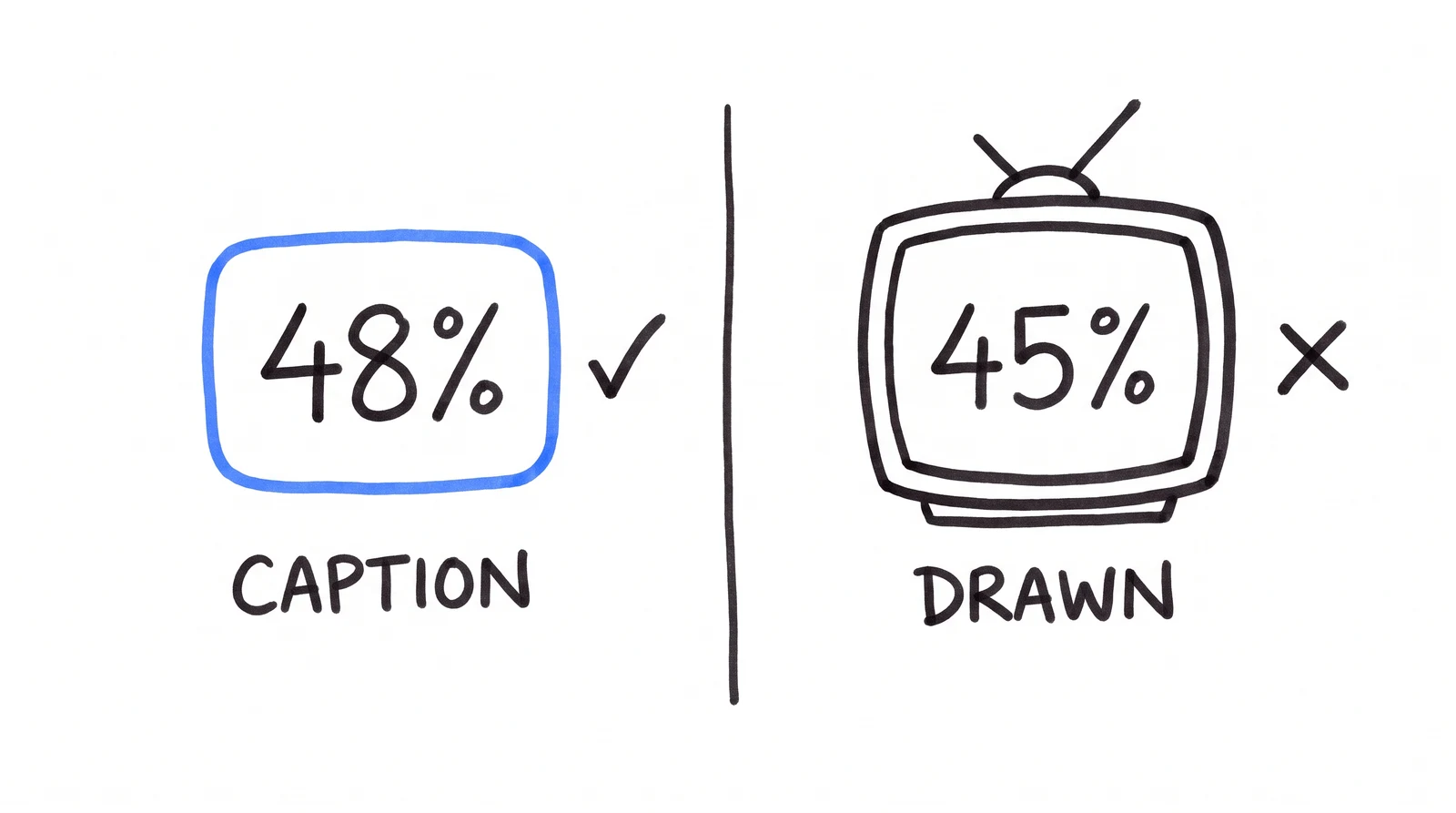
One of our ads cites a real stat: 48% of companies call their own AI adoption a disappointment. The voiceover said "forty eight percent". Our caption said 48%. We asked for that scene as a motion graphic, so HeyGen drew its own counter.
It rendered 45%. The ad said one number out loud and a different one on screen, about a factual claim, in a paid placement.
✗ motion graphic → 45%✓ boxed overlay → 48%
1. Facts go in captions, never graphics
Numbers, prices, dates, names. Boxed overlay text comes back verbatim. Anything the model draws itself gets re-derived, and re-derived means changed. Let it draw the mood, never the fact.
2. Count the voiceover
Speech runs ~2.3 words a second. Duration × 2.3 is a hard ceiling: 20s = 46 words. Over it, the ending rushes or clips. Under it, it fills with b-roll, which is fine.
3. Force a safe area
Without it, text runs past the frame edge and lands on faces. One of ours shipped IVERY HASN'T CHANG, clipped both ends, across a man's mouth. Another printed the CTA over his eyes.
06 · VERIFY
Watching it is not checking it
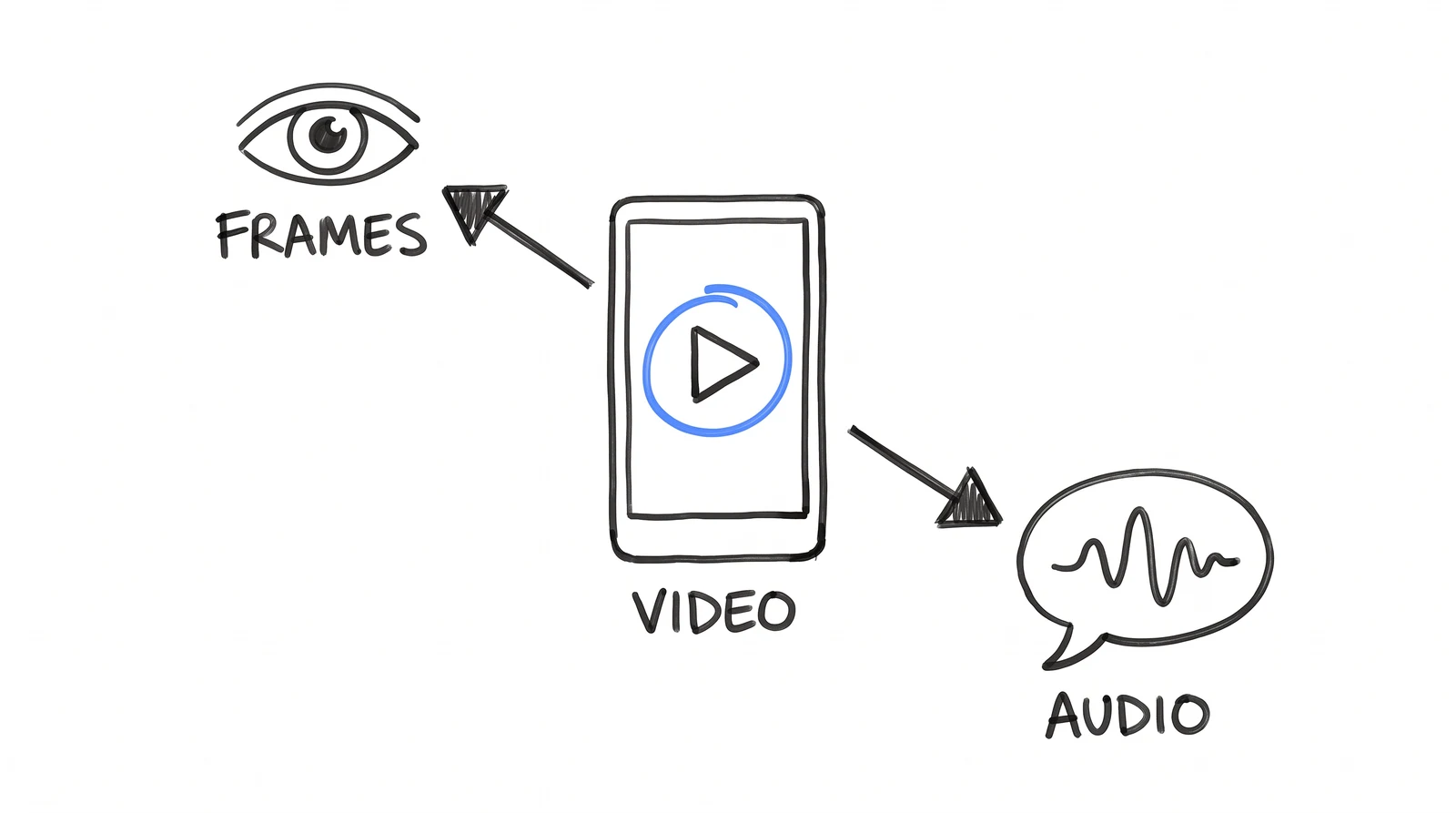
The 45% passed every automated check: file exists, right length, plays fine. It passes a human skim too, because you hear one number while reading another and your brain reconciles them. Pull the two apart.
verify — frames + transcript
# 1. the END CARD specifically — mid-roll frames lie by omission
ffmpeg -sseof -2 -i final-ad.mp4 -frames:v 1 endcard.png
# 2. a contact strip of the whole ad
ffmpeg -i final-ad.mp4 -vf "fps=1/2,scale=240:-1,tile=6x1" -frames:v 1 strip.png
# 3. the words actually spoken — the check nobody runs, and the one that# caught the 45%. Also catches stutters, truncation, invented closers.
ffmpeg -i final-ad.mp4 -vn -ar 16000 vo.mp3
# transcribe vo.mp3, diff against your voiceover# 4. audio and video should end together — a gap means a cut sentence
ffprobe -v error -select_streams a:0 -show_entries stream=duration -of csv=p=0 final-ad.mp4
ffprobe -v error -select_streams v:0 -show_entries stream=duration -of csv=p=0 final-ad.mp4
Any number on screen must match the number spoken. If they disagree, the ad is broken even though every other check passed. The bug lives in the gap between the two, which is why checking either one alone finds nothing.
07 · TAKE THE KIT
The whole setup, not a demo of one
Both skills as installable files, a runnable verifier, both prompts, and worked examples of the two brand files. Unzip into any project, connect the MCP, and say "make me a video ad about X". No prompt engineering, because the rules live in the skill.
The main skill. Both routes, every rule, the verify gate.
skills/brand-dna/
Reads the client's live site, writes both brand files.
verify.mjs
Runnable checks on a finished MP4. The step everyone skips.
prompts/
Both prompts as files, if you would rather paste than install.
examples/
A real design-theme.json, brand-dna.md and script.json.
The main skill in full, so you can read it before downloading anything:
.claude/skills/video-ad/SKILL.md
---
name: video-ad
description: Turn a brief into a finished vertical video ad via HeyGen MCP, then verify it.
---

# Skill: video-ad

Requires the HeyGen MCP server:
  claude mcp add --transport http heygen https://mcp.heygen.com/mcp/v1/

## 1. Brand first — do not skip this
Read design-theme.json (brand, accent, fonts) and brand-dna.md (voice, audience,
Verified proof) for this client.
- Missing? Build both from their live site FIRST (see section 02), then continue.
- NEVER guess a colour. NEVER put a number in the voiceover that is not in the
  Verified proof table. Not in that table = does not exist.

Everything below inherits from these two files.

## 2. Pick the route
- `scenes` (default): avatar-less b-roll + kinetic text + voiceover. ~8 of 10 ads.
- `avatar`: your pinned avatar_id speaks the hook + CTA, b-roll fills the middle,
  avatar under 50% of screen time. Use when the message is credibility.
  Same brand files, same rules below. Only the MODE/STRUCTURE block changes.

## 3. Write the ad
Ask for: the offer, the duration (default 20s), and which proof number to lead on
(from the Verified proof table). Then build the prompt with ALL of these, every time:

- VOICEOVER, spoken verbatim. Count it: duration x 2.3 is a HARD ceiling.
  20s = 46 words. Never exceed.
- SCENES, each ending: Boxed overlay: "<3-6 words>".
- TEXT TREATMENT: every line inside a solid --brand rounded caption box, padded,
  with an --accent underline and the key word in --accent (both from brand-dna.md).
- TEXT SAFE AREA: every box fully inside the central 80% of frame, 10% margin
  minimum. Never cropped. Never across a face or mouth.
- CTA CARD: final scene = solid --brand end card, CTA centered, max 70% width.
  No clipart, cartoon props or 3D icons.
- NUMBERS: never as a generated graphic. Any figure goes ONLY in a boxed overlay,
  exactly as written. The model re-derives numerals it draws and silently changes
  them.
- CASTING: from the brand-dna.md Audience line. State it explicitly. Do not inherit
  a local-market default for an English/global ad.
- Scene 1 is a pattern interrupt in the first second.

## 4. Generate
Call the HeyGen MCP video tools with that prompt. Poll until complete.

## 5. Verify before calling it done — do ALL of these
1. File exists and is over 500 KB.
2. Transcribe the audio, diff against the voiceover. Catches changed stats,
   stuttered openings, truncated endings, invented closers.
3. Pull the END CARD frame (`ffmpeg -sseof -2`), not just mid-roll.
4. Audio duration and video duration end together.
5. Every on-screen number matches the spoken number, AND both appear in the
   brand-dna.md Verified proof table. If not, the ad is broken even though checks
   1-4 passed.

Report what failed. Never claim success on an unverified render.
Two of those rules exist because we shipped them wrong first. That is what you are taking: not the prompt, the scar tissue.
ia_ — updates
$ subscribe --to "the next drop" # New guides and skills, when they ship. No spam, no gate.
✓ subscribed. next drop lands in your inbox.
unsubscribe = one reply. we read those.
DONE-FOR-YOU
Want this installed in your agency?
This page is the self-serve version. The Install is the done-for-you one: your skills, your agents, your clients, live in 30 days.