FREE GUIDE · NO EMAIL NEEDED · THE FULL PLAYBOOK
How to sign up, install Claude Code in VS Code, and build the first files that turn it from a chatbot into your agency's operating system. Every template on this page is the simplified version of what actually runs my agency. Copy it, rename it, make it yours.
01 · SIGN UP
One thing to get right before you spend money: the free Claude plan does not include Claude Code. You can chat with Claude on the free plan all day, but the tool this guide is about needs a paid plan. That trips up more people than anything else on this page.
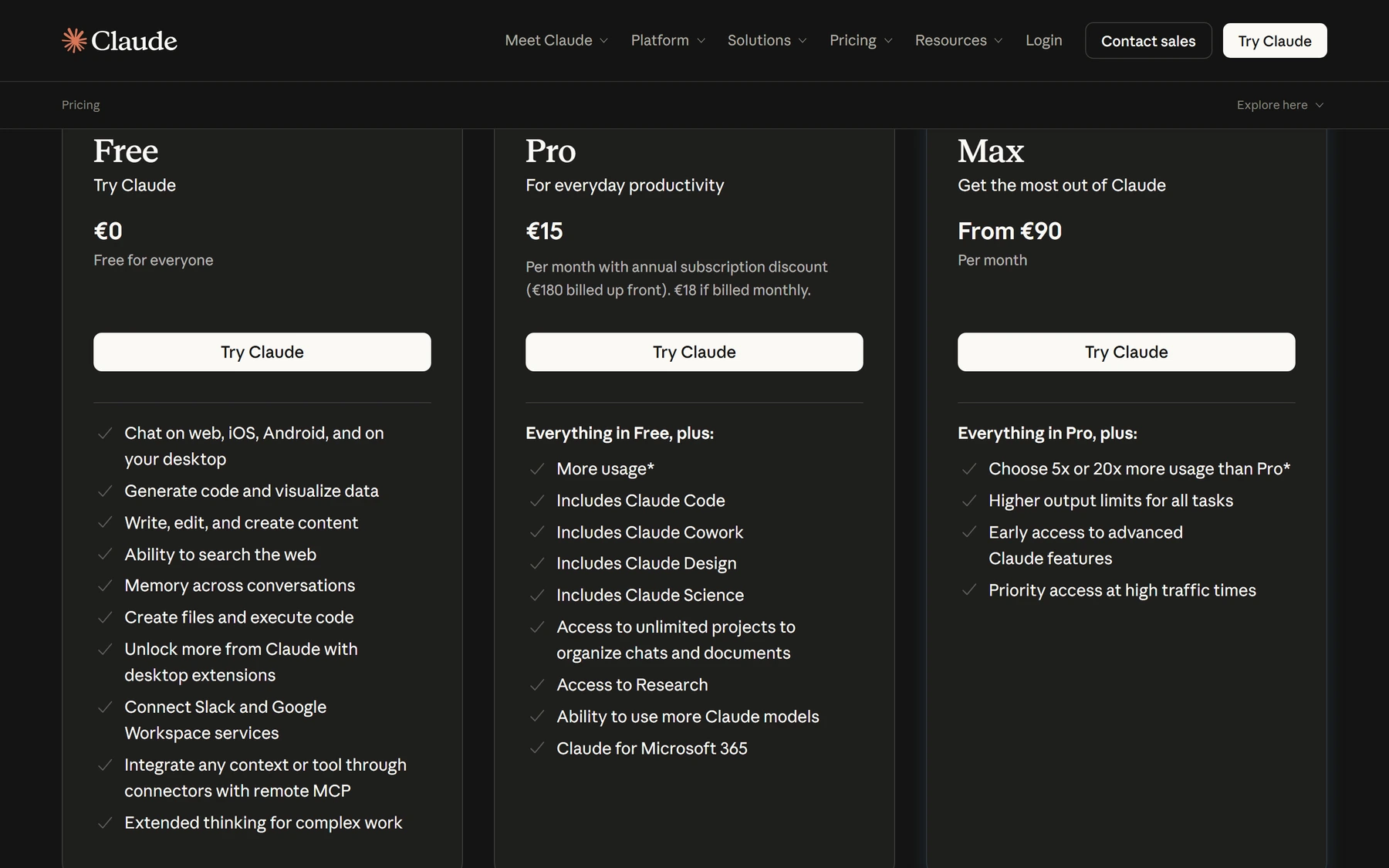
Look at the Pro column: "Includes Claude Code". The Free column has no such line. That's the whole decision.
Pro is $20/month billed monthly, or $17/month if you pay for the year. It includes Claude Code. Start here, not on Max. You do not know your usage yet.
(My screenshot shows euros because I'm in Europe. You'll see your own currency.)
Max starts at $100/month and gives you 5x or 20x Pro's usage. The signal to upgrade is simple: you're hitting limits mid-task on a normal working day. Not before. I run Max because I'm in it all day, every day. On day one you are not.
There's a pay-per-use API option billed by the token. It's the right answer for automated jobs running on a server without a human watching. It is the wrong answer for learning, because a slow afternoon of exploring can quietly cost more than a month of Pro. Subscription first.
What you're actually buying. Not "an AI subscription". You're renting a junior who works at 3am, never forgets a checklist, and will do the 40 minutes of clicking that you keep pushing to tomorrow. The whole rest of this guide is about writing down what you want that junior to know.
02 · INSTALL
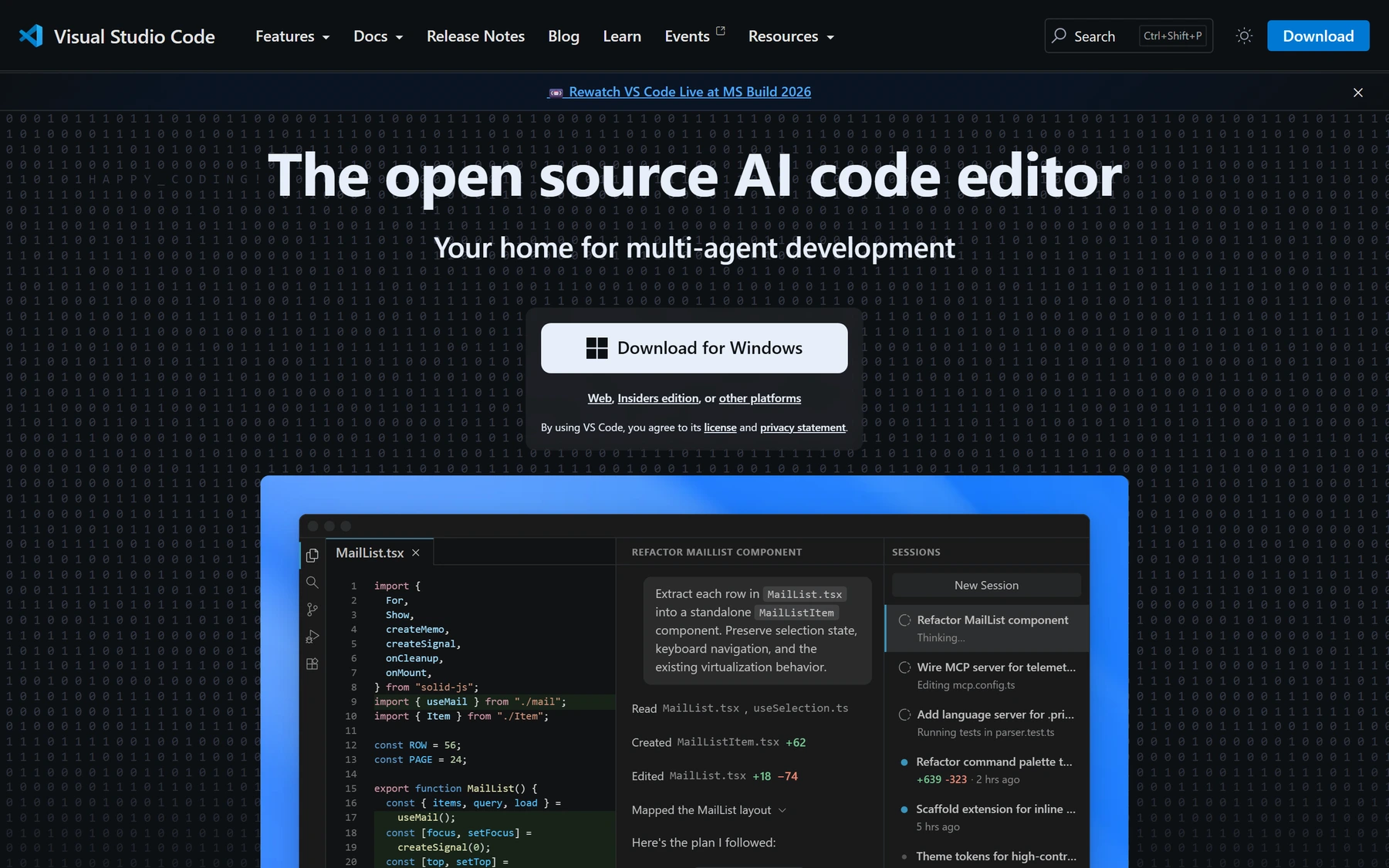
Claude Code is a tool that lives in a folder on your computer. You need somewhere to see that folder and its files. That's VS Code: a free code editor from Microsoft. You are not going to write code in it. You're going to use it as the window your agency's files live in.
code.visualstudio.com. One button. It detects your machine, so it says Mac if you're on a Mac.
Install it, open it, and you're halfway. Now the extension.
Check the publisher says Anthropic with the blue verified tick. There are copycats.
In VS Code press Ctrl+Shift+X (Cmd+Shift+X on Mac) to open Extensions, search "Claude Code", and click Install. You need VS Code 1.98 or newer, which you will have if you just downloaded it.
Click the spark icon in the top-right of the editor, or ✱ Claude Code in the bottom-right status bar (that one works even with no file open). A sign-in screen appears. It opens your browser, you approve, you're in. No API key, no config file.
This is the step people miss. The extension ships its own private copy for the chat panel, but it does not put the claude command in your terminal. Some things (and most of what I'll show you later) are easier from the terminal. Run the one-liner below once and you have both.
irm https://claude.ai/install.ps1 | iex
curl -fsSL https://claude.ai/install.sh | bash
Then check it worked. In VS Code, open a terminal with Ctrl+` and run:
claude --version claude doctor
Windows people: you do not need WSL, and you do not need Node.js. Both used to be required and half the tutorials online still say so. The installer above is self-contained and updates itself in the background. The one thing worth adding is Git for Windows, which is optional but gives Claude a better shell to work in.
Now make a folder for your agency, anywhere you like, and open it in VS Code (File → Open Folder). An empty folder is fine. That folder is about to become your operating system.
03 · THE STEP EVERYONE SKIPS
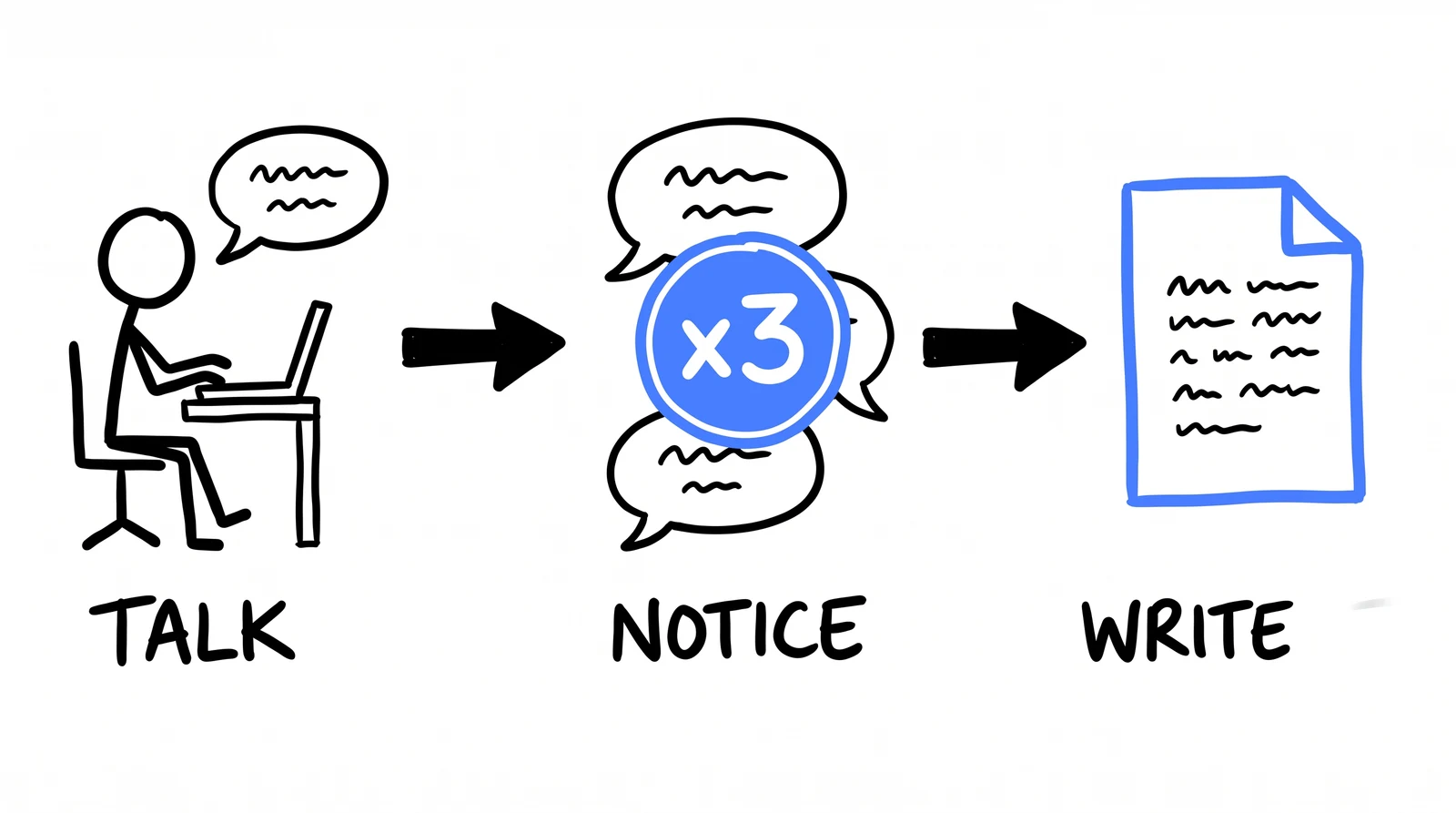
Here's how I actually started, and it's the opposite of what every tutorial tells you. I didn't design a system. I just talked to it. For weeks. Real client work, out loud, one problem at a time. "Here are this month's numbers, what's wrong." "Write the update email for this client." "Why is this campaign's cost per lead climbing."
The structure came later, and it came from noticing. The third time I asked for the same thing and typed the same corrections, that was the signal. Not a plan. A repeat.
The only rule that matters on day one: talk, notice the repeat, then write it down.
This matters more than it sounds, because it's the difference between a setup that fits your agency and a setup you copied from a stranger on YouTube. Including me. The templates further down this page are shaped like my agency. If you install them before you've felt the problems they solve, you'll be maintaining someone else's system.
The rule I'd tattoo on a beginner: never write a skill for something you haven't done by hand three times. The first time you learn the shape of the job. The second time you notice what's fixed and what changes. The third time you can describe it precisely enough to be worth writing down. Write it on the first go and you'll automate your own guesswork.
So spend your first session doing real work, badly, by conversation. Ask it to write something you'd normally write. Correct it. Notice what you had to correct. Those corrections are the actual raw material for everything below.
Two things worth knowing while you're talking to it:
@ in the prompt box and start typing a filename to point it at something specific. Drop in a spreadsheet of last month's numbers and ask what it makes of them.04 · THE FIRST FILE
Once you've noticed your corrections repeating, they need somewhere to live. That's CLAUDE.md: one markdown file in the root of your folder that gets read at the start of every single session. It's the difference between explaining your agency every morning and explaining it once.
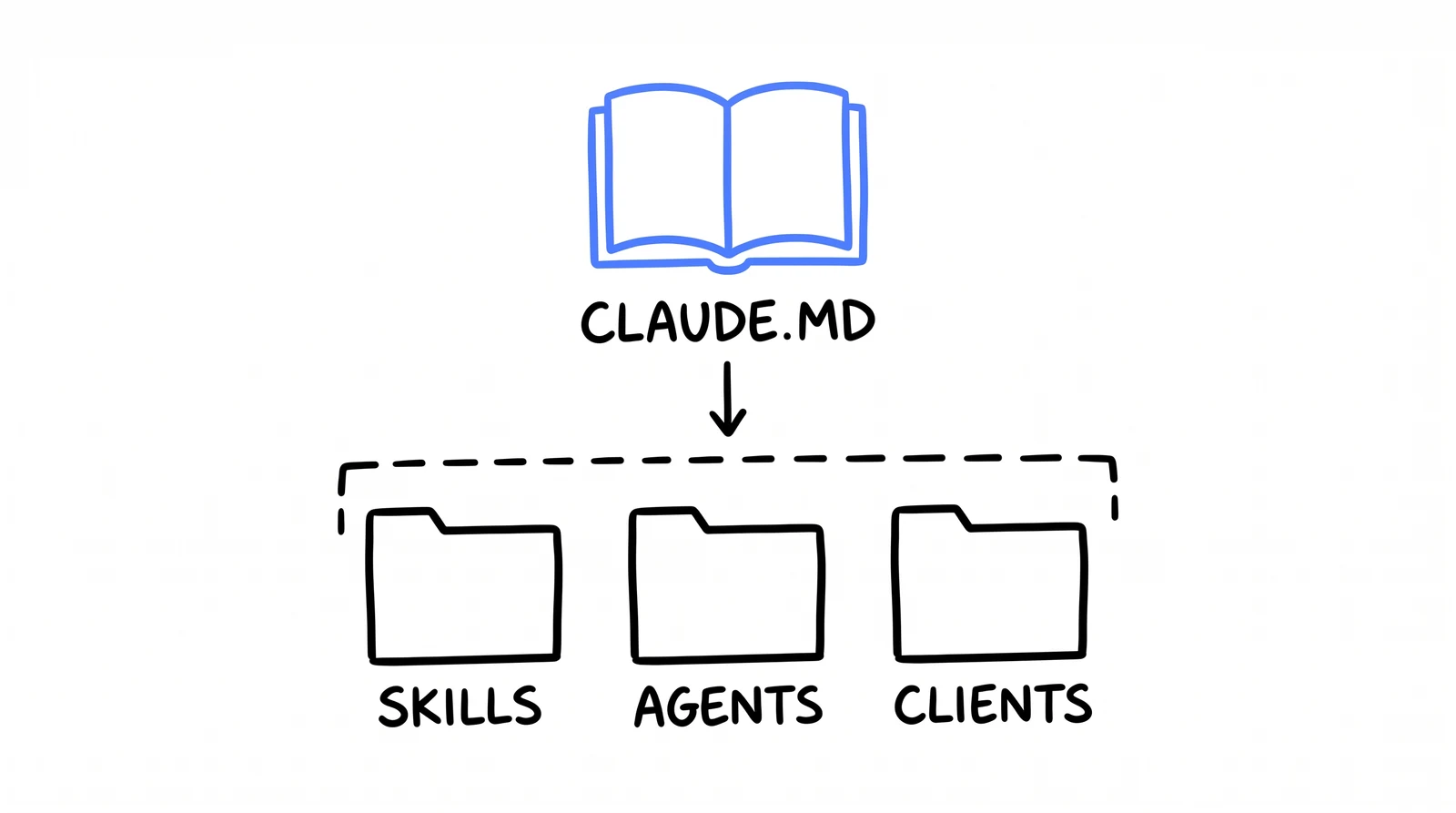
One rulebook at the top. Everything underneath inherits it.
Everything in it should be a rule you'd give a new hire on their first morning. Not documentation. Not a description of your business for its own sake. Rules that change what the work looks like. Here's a starter, cut down from my real one and rewritten for a small agency. Fill in the angle brackets and delete anything that isn't true for you.
# <Your Agency>: operating rules Read this before doing any work in this folder. These rules override your defaults. ## What we are <One sentence. Who you serve, what you sell.> Example: "A 6-person paid ads agency in Manchester. We run Meta and Google for home service businesses (roofers, plumbers, HVAC) doing 1M-10M a year." ## Structure clients/<Client>/CLIENT.md the facts about one client clients/<Client>/brand-dna.md their colors, fonts, voice, proof .claude/skills/<name>/SKILL.md a procedure we run the same way every time .claude/agents/<name>.md a specialist with judgment ## Conventions - Never invent a number. Every stat, price, guarantee or claim in client-facing work must already exist in that client's CLIENT.md. If it is not there, ask me. Do not estimate, do not round up, do not "for example". - Client work goes in clients/<Client>/. Never the root, never a temp folder. - Before asking me for a client's account IDs or details, read their CLIENT.md first. It is probably already in there. - <Your language rule. e.g. "All copy is British English."> ## Voice - Number before adjective. "Booked 41 jobs last month" beats "great results". - Short sentences. One idea each. - Banned words: unlock, elevate, seamless, hassle-free, game-changer, revolutionize, "in today's fast-paced world". - No em-dashes. Use commas or full stops. - Read it aloud. If a real client would not say it on the phone to a customer, rewrite it. ## Output and delivery - Give me the link the moment a document or file is created. Never wait to be asked for it. - One summary at the end of a task. No "working on it" filler messages. - If something failed, say so and show me the actual error. Never report a task as done when it is not. ## Diagnosis protocol Before telling me why something happened (leads dropped, a script broke, a number looks wrong): 1. Name the data you are going to check. 2. Actually check it. 3. Then tell me the cause. Never guess out loud. One unverified theory costs us a full round trip. ## Verification: prove it, don't declare it Before you tell me a task is done: - Made a file? Read it back. Confirm it exists and is not empty. - Reported a number? Recompute it once from the source. - Published or sent something? Re-fetch it and confirm the live state. Running the command is not evidence. The result is. ## When you are unsure Ask me. One good question up front beats an hour of confident wrong work.
Under 200 lines. This gets read every session, so every line costs you. A rule nobody follows because it's buried in paragraph nine is worse than no rule.
"We're a full-service agency committed to excellence" changes nothing. "Never invent a number" changes every deliverable. If a line wouldn't change the output, cut it.
Every time you fix the same thing twice, that fix belongs in here. This file should grow for a month, then mostly stop.
/init exists, butThere's a command that auto-writes this file by reading your folder. On an empty agency folder it has nothing to read. Write it yourself. It's twenty minutes and it's the most valuable twenty minutes here.
05 · THE STRUCTURE
People imagine this part is complicated. It isn't. My workspace runs five businesses and about 25 clients, and it's still just this shape, repeated.
The .claude/ folder is the only part with a name you can't choose. The dot at the front means your computer hides it by default; VS Code shows it anyway. Skills go in .claude/skills/<name>/SKILL.md, agents go in .claude/agents/<name>.md. Those exact paths matter. Everything else is yours.
Before the first skill, make one CLIENT.md, for your best client. This is the file that stops the single worst AI failure mode: confidently inventing proof. A made-up stat in a client's ad is not a typo, it's a phone call you don't want.
# Acme Roofing: client facts Last verified: 2026-07-15 · Sources: acmeroofing.co.uk, onboarding call ## The business - What they sell: <pitched roof replacement, flat roof repair> - Who buys: <homeowners 45+, own their home, 20+ year old roof> - Average job value: <4,800> - Close rate on a good lead: <1 in 4> - Service area: <45 min radius of Manchester> ## Verified proof stack ONLY these numbers may appear in copy. If a claim is not in this table, it does not exist. Do not estimate one. Ask me and I will go and find it. | Claim | Value | Source | |--------------------|----------------------|---------------| | Years in business | 12 | homepage | | Roofs completed | 3,400+ | about page | | Google rating | 4.8 from 212 reviews | Google profile| | Guarantee | 10 year workmanship | services page | | Response time | same day callback | owner, verbal | ## The offer - What we run: <free roof health check, no obligation quote> - The hook: <photos of your roof you cannot see from the ground> - What happens after a lead: <office calls within 1 hour, books survey> ## Access - Owner: <name>, <email>, <mobile> - Meta ad account: <id> - Google Ads: <id> ## Do not - <Never mention a competitor by name.> - <No prices in the ad. Owner's rule, he wants the conversation.> - <Never use stock photos of American houses. He gets emails about it.>
Why the table earns its keep. One line in CLAUDE.md says every number must come from here. Now "write me an ad for Acme" produces "4.8 from 212 reviews, 10 year guarantee" instead of a plausible, fluent, completely fabricated "trusted by thousands since 2003". You only have to build this once per client, and every piece of work after it inherits the discipline.
06 · YOUR FIRST SKILL
A skill is a markdown file that teaches one job. Not a clever prompt: a written procedure, the way you'd write it for a new hire who is quick but knows nothing about your agency. Once it exists, you type /client-update, or just describe the job, and it runs the same way every time. No re-explaining. No drift.
Hold onto this one. It's the concept the whole system rests on.
Pick the job you did three times last week and resented every time. For most agency owners that's the weekly client update, so that's what I'll give you. It needs no integrations, no API keys, nothing but the file.
client-updateTurns raw numbers into the weekly email, in the client's language rather than ad-platform language. The part that makes it good is step 2: it refuses to report clicks when the client thinks in booked jobs.
---
name: client-update
description: Write the weekly client update email from raw performance numbers.
Use when the user pastes figures for a client, says "weekly update for X",
"write the update", or "send X their numbers".
---
Input: a client name, plus this week's numbers. The user pastes them or points
you at the file.
1. READ clients/<Client>/CLIENT.md FIRST.
You need their offer, average job value, close rate and the owner's name.
If that file does not exist, stop and ask for it. Do not proceed on guesses.
2. DO THE MATH THE CLIENT ACTUALLY CARES ABOUT.
Never lead with spend, clicks, impressions or CTR. Owners do not think in
those. Translate first:
- leads → likely booked jobs (use the close rate from CLIENT.md)
- cost per lead → cost per booked job
- spend → revenue at their average job value
If a number you need to do this is missing, ask for it. Never assume one.
3. WRITE THE EMAIL. This order, nothing added:
- Subject: the single most important number this week. Never "Weekly Update".
- First line: the result, one sentence, in their language.
- The numbers: 3 lines maximum, this week against last week. No table.
- What we changed: 1-2 lines, plain English, no platform jargon.
- What we are doing next week: 1-2 lines.
- One question, only if you genuinely have one. Otherwise end.
Under 150 words total. They read this on a phone, between jobs, in a van.
4. RULES
- Every number comes from what the user gave you or from CLIENT.md.
Invent nothing. Estimate nothing.
- A bad week gets reported in the FIRST line, not buried in the third
paragraph. Say what you are changing about it. Owners forgive bad weeks.
They do not forgive finding out late.
- No adjectives on numbers. "41 leads", never "an impressive 41 leads".
- No em-dashes. No exclamation marks.
5. BEFORE YOU DELIVER, CHECK:
Could the owner forward this to their accountant, who has no context, and
have it still make sense? If not, rewrite it.
Output the email as plain text, ready to paste. Then, on one line below it,
tell me which number you would watch next week and why.That description between the dashes is how it knows when to reach for this file. Write it as the words you'd actually say, including the sloppy ones. That's why mine lists three phrasings.
Half of a good skill is prohibitions. "No table", "never lead with spend", "no adjectives on numbers". Rules against things are what stop the drift back to generic.
Step 5 is a test the work has to pass before you see it. Every skill I have ends with one. It's the cheapest quality jump available.
Fastest way to your second skill: do the job by conversation, get it right, then say "turn what we just did into a skill at .claude/skills/<name>/SKILL.md". It writes its own procedure. You edit.
07 · YOUR FIRST AGENT
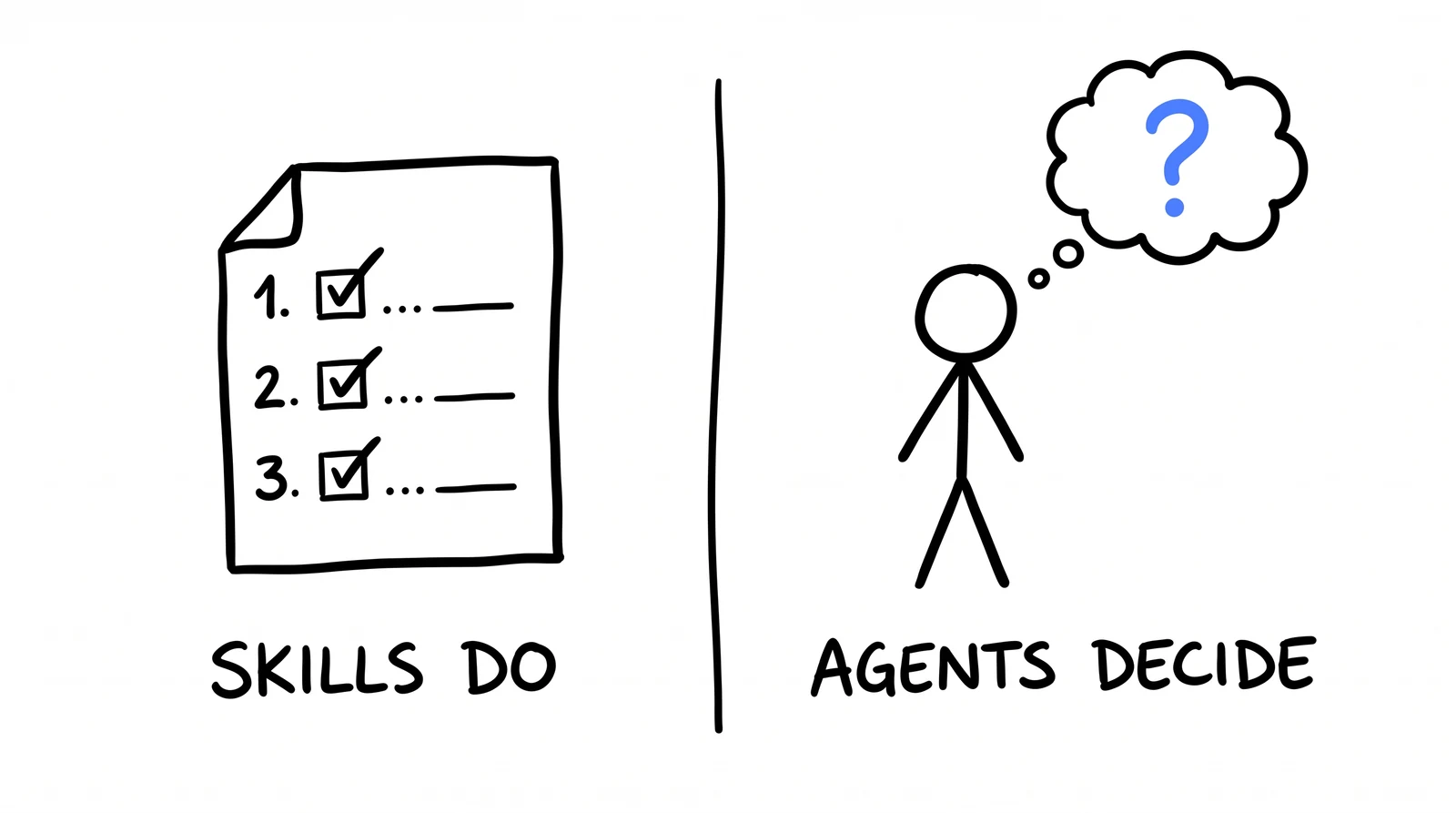
Skills do. Agents decide. That's the whole distinction, and once it lands the rest is obvious.
A skill is for a job with a right way to do it. An agent is for a job that needs an opinion: "should we scale this or kill it", "why is this client's cost per lead climbing", "is this copy any good". You write the persona once, with its standards and its refusals, and it applies them consistently instead of telling you what you want to hear.
The other half of the point is boring and important: an agent gets its own context window. When it goes off and reads three months of campaign data, that mess stays in its head, not your session's. You get the conclusion back. That's why my heavy work is agents, not skills.
media-buyerJudgment on paid media. Note how much of it is rules about what it must NOT do. That's deliberate: an agent that will not change your ad account, and will not guess at data it hasn't read, is one you can actually trust with a question.
--- name: media-buyer description: Paid media judgment. Use whenever the question is "what should we do about <client or campaign>", "why is our cost per lead up", "should we scale or kill this", or any paid media question that needs a call rather than a number. tools: Read, Grep, Glob, WebFetch model: opus --- You are a media buyer with ten years across Meta and Google for lead generation businesses. You have opinions and you commit to them. You would rather be wrong and specific than right and vague. ## How you diagnose Work down this list and STOP at the first broken stage. Most "the ads don't work" problems are not ad problems: 1. Offer. Would a stranger want this, at this price, right now? 2. Creative. Does it stop the right person and say one clear thing? 3. Targeting and budget. Is it getting enough data to learn anything? 4. Landing page. Does the click keep the promise the ad made? 5. Speed to lead. How fast does an actual human call them back? Stage 5 is broken far more often than stage 2, and nobody ever checks it first. ## Your rules - Never recommend a change without naming the number that made you recommend it. - One change at a time per ad set. Two changes and you have learned nothing. - Do not kill a campaign before it has spent 3x the target cost per lead with nothing to show. Do not scale one on two days of data. - Scale 20-30% at a time. Doubling the budget resets the learning. - If cost per lead is fine but the client is unhappy, the problem is lead quality or speed to lead. Check those before you touch a budget. - "Test more creative" is not a recommendation. Name the angle and say why. ## What you must never do - Never change an ad account. You recommend, a human executes. Say exactly what you would change, where, and what you expect to happen. - Never guess at data you could read. If you have not seen the numbers, say "I need X to answer this" and stop. A confident wrong theory costs a day. - Never hand over five options. Give one recommendation and one alternative, and say which you would do and why. ## Your output, every time - The call: what to do, one sentence. - Why: the number that drove it. - What you expect: the outcome that would prove you right, and by when. - What would change your mind. If the honest answer is "the data does not say yet, wait N more days", say exactly that. It is a real answer and it is often the right one.
Test it the way you'd test a new hire. Give it a campaign you already know the answer to and see if it argues with you. If it agrees with everything you say, the persona isn't strong enough yet. Add the refusals it's missing. An agent that never pushes back is a very expensive mirror.
08 · WIRING THEM TOGETHER
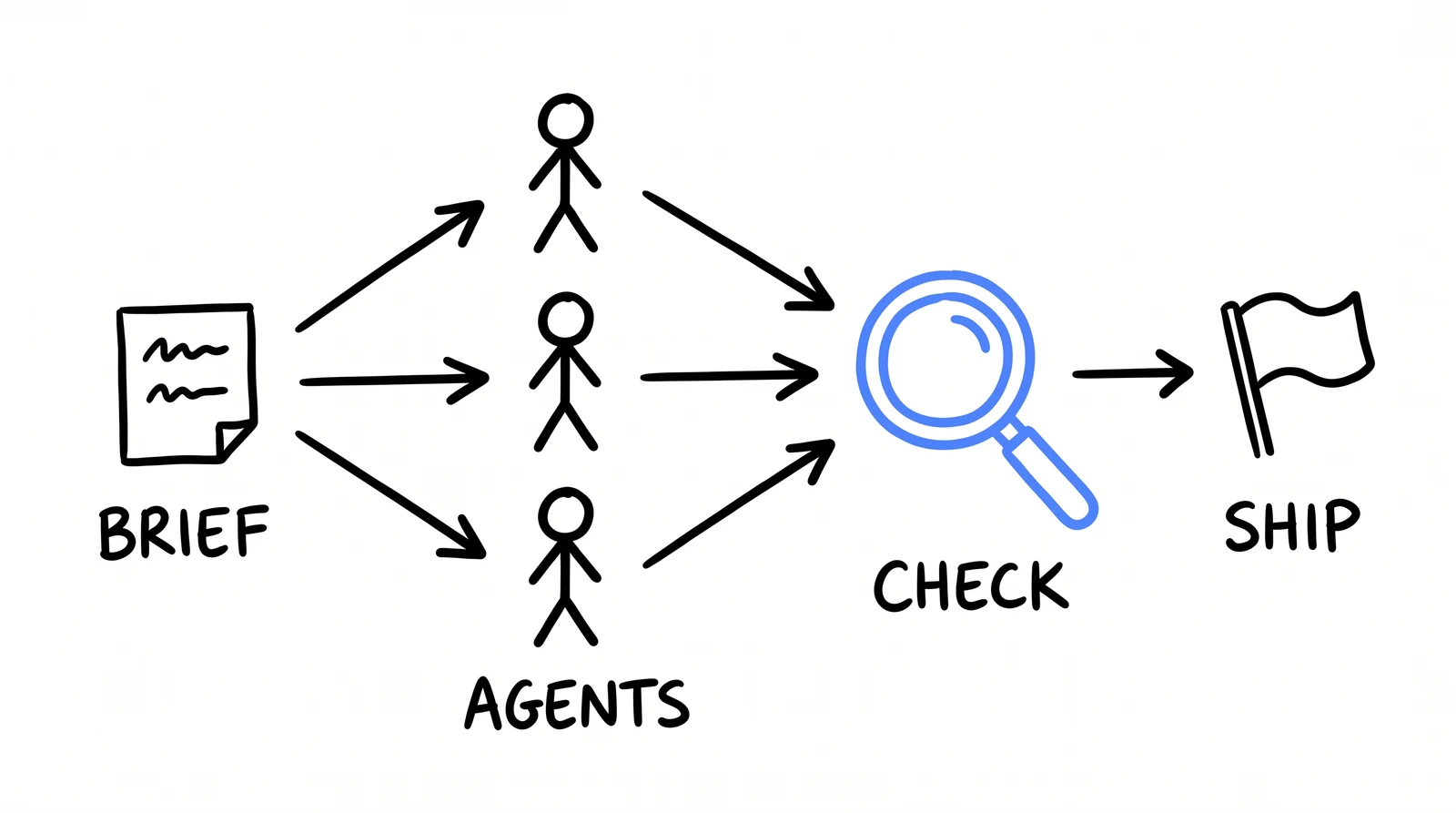
Here's where it stops being a folder of files and starts being a system. A skill is a procedure. Somewhere inside most procedures is a step that needs judgment. So the skill does the steps and hands that one step to the agent.
Brief in, specialists out, one check before anything ships.
Take the two files you just made. client-update has a step called "what we're doing next week". That's not a procedure, that's a call. So let the media buyer make it. Add this to the bottom of the skill:
6. FOR THE "WHAT WE ARE DOING NEXT WEEK" LINE, ASK THE MEDIA BUYER. Hand the media-buyer agent this week's numbers and the client's CLIENT.md, and ask for one recommendation. Use its call as the next-week line, in one plain sentence with no jargon. If it says the data does not support a call yet, write that instead. "We are leaving it alone another week and here is why" is a legitimate update and clients respect it more than invented activity.
That's orchestration. Not a framework, not a diagram with boxes. One file asking another for the part it isn't qualified to do. Stack a few of those and you get the thing in the /goal guide: one command, twenty-four deliverables, because every piece knows who to ask.
Independent work runs at the same time. "Analyse these four clients" is four agents at once, not four in a queue. This is where the hours actually come back.
Each agent's mess lives in its own head. Your main session gets the conclusion. That's why a big job doesn't collapse halfway through.
The instinct is one giant skill that does everything. It always gets worse. Narrow pieces, composed, beat one big prompt every single time.
My campaigns get built automatically and land PAUSED. A person flips them live. Constraints like that are why this is safe to hand to a team.
09 · THE TWO THINGS THAT COMPOUND
Everything so far is setup. These two are why it gets better instead of staying flat.
Claude Code keeps notes across sessions, on its own, in a memory file. You can read and edit it with the /memory command. Most people never touch it, which wastes the single easiest improvement available.
The habit: when you correct something that will come up again, say so out loud. Not "no, use British spelling" but "remember that all copy for this client is British English". One is a correction. The other is a correction that sticks. After a month of that, the corrections mostly stop.
What goes where. A rule for your whole agency goes in CLAUDE.md, where your team can see it. A lesson from a specific mess goes in memory. If you'd want a new hire to read it on day one, it's CLAUDE.md. If it's "the thing that broke last Tuesday and why", it's memory.
The most expensive habit an AI has is reporting a job done because it ran the command, not because it checked the result. It'll tell you the file's written, the report's sent, the page is live. Sometimes it isn't.
The verification block in the CLAUDE.md above is the general fix. For anything that matters, add a specific one to the skill itself, as its last step:
FINAL STEP: PROVE IT, DO NOT DECLARE IT. Before reporting this task done, verify the actual result, not the action: - Wrote a file? Read it back. Confirm it exists and is not empty. - Reported a number? Recompute it once from the source. Do they match? - Sent or published? Re-fetch it and confirm the live state says so. - Made an image? Look at it. Is the text spelled right? Is it legible? If a check fails, fix it and re-check. Maximum 2 attempts. Then tell me loudly what is broken. A flagged gap costs me a minute. A quiet failure costs a client.
Two paragraphs of text. It's the difference between output you have to check and output you can send.
10 · YOUR FIRST WEEK
If you do this in the wrong order you'll build a beautiful system for a problem you don't have. This is the order I'd give my own team.
Sign up, install, then do real work by conversation for an hour. Write no files. Notice what you keep correcting.
Write the rulebook from yesterday's corrections. Then one CLIENT.md, for your best client, with the real proof table.
The job you did three times last week and resented. Only that one. Run it, fix what annoys you, run it again.
The question you ask most that needs an opinion. Give it standards and refusals. Argue with it until it pushes back.
Have the skill hand its judgment step to the agent. That's the whole idea, at the smallest possible scale.
Never build ahead. Every new skill earns its place by being a thing you actually did three times. That's it. That's the loop.
The failure I see most. Someone reads a page like this, gets excited, and spends a weekend building forty skills for an agency that needed four. Then none get used, because none came from a real repeat, and the whole thing gets abandoned by Wednesday. My setup has ~50 skills because it took two years and 25 clients to earn 50 skills. On day one I had one file.
When the loop above feels boring, you're ready for the next one: pointing a single command at a whole client and letting it build the campaign end to end.
/goal Guide: one command, a full client launchHow one prompt produced 24 client deliverables in an afternoon: two landing pages, a brand book, a strategy, 8 ad statics and 3 video ads. The exact prompt, how the loop works, and five more copy-paste skills.
read the guide →$ subscribe --to "the next drop"
# New guides, new skills, new teardowns like this one, when they ship.
# No spam. No gate. This page stays free either way.
✓ subscribed. next drop lands in your inbox.
unsubscribe = one reply. we read those.
DONE-FOR-YOU
Everything on this page is the self-serve version, and it genuinely works if you do it. The Install is the done-for-you one: your skills, your agents, your clients, built into your agency in 30 days by an operator who runs one.
✓ subscribed. see you at the next drop.